Best CRM Software for Small Business (2026)
2026-02-27
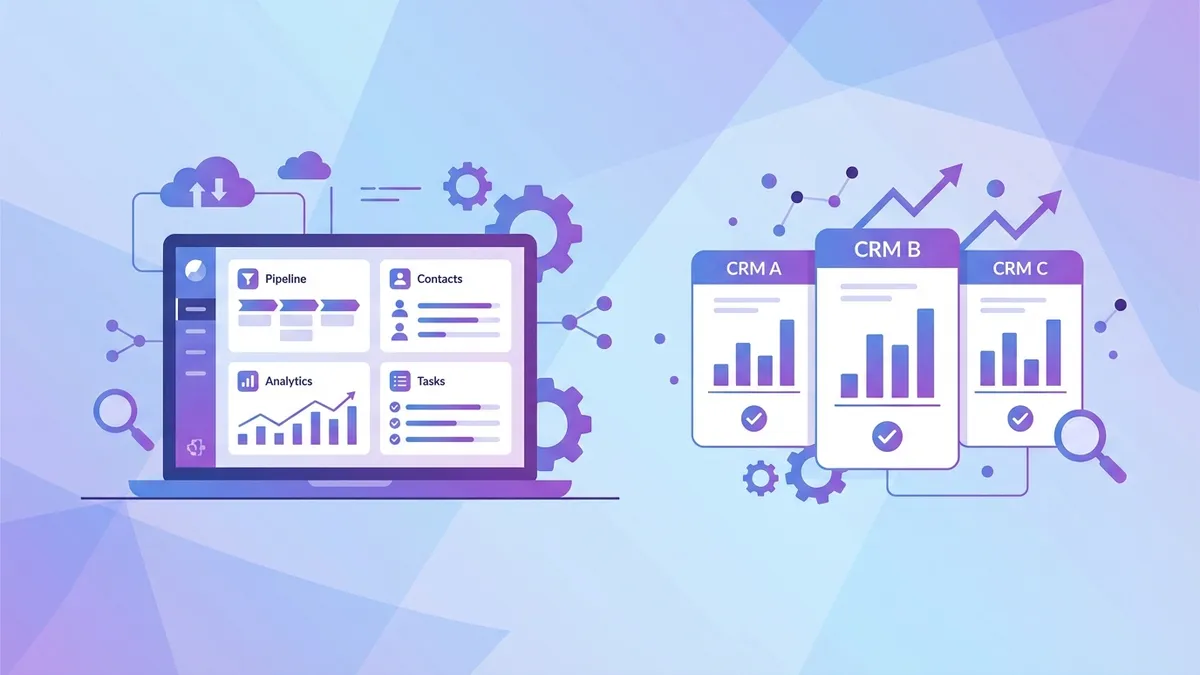
A Customer Relationship Management (CRM) system is the operational backbone of a growing small business. Without one, you're tracking leads in spreadsheets, missing follow-ups, and losing sales you didn't even know were slipping away. With the right CRM, even a solo operator can manage hundreds of prospects, automate follow-ups, and close more deals consistently.
This guide covers the best CRM software for small businesses in 2026, with real pricing, honest pros and cons, and a comparison table to help you choose.
Why Your Small Business Needs a CRM
The average salesperson forgets to follow up on 50% of leads without a system. A CRM solves this by centralizing every customer interaction — emails, calls, meetings, notes — in one place accessible to your entire team.
Beyond sales, a CRM helps you:
- Understand your pipeline: See exactly how much revenue is likely to close this month
- Identify bottlenecks: Spot where deals stall and fix the problem
- Automate repetitive tasks: Send follow-up emails automatically so nothing falls through the cracks
- Improve customer retention: Track customer history so every interaction feels personalized
- Grow without chaos: Scale from 100 to 10,000 contacts without losing control
CRM Comparison Table
| CRM | Starting Price | Free Plan | Best For | Standout Feature | |---|---|---|---|---| | HubSpot CRM | $15/user/mo (Starter) | Yes, unlimited users | All-in-one marketing + sales | Free plan is genuinely powerful | | Salesforce Starter | $25/user/mo | No (30-day trial) | Scalability & customization | Deepest ecosystem of any CRM | | Zoho CRM | $14/user/mo | Yes, up to 3 users | Best value for money | AI assistant (Zia) at mid-tier | | Pipedrive | $14/user/mo | No (14-day trial) | Sales-focused teams | Visual pipeline management | | Monday CRM | $12/user/mo | No (14-day trial) | Teams already using Monday.com | Flexible, project-style interface | | Freshsales | $9/user/mo | Yes, up to 3 users | Ease of use | Built-in phone and email | | Keap | $249/mo (up to 2 users) | No (14-day trial) | Automation-heavy businesses | Advanced marketing automation | | Copper | $9/user/mo | No (14-day trial) | Google Workspace users | Native Gmail integration |
Top CRM Software Reviews
1. HubSpot CRM — Best Overall Free Option
HubSpot's free CRM is the most generous on the market. It supports unlimited users, unlimited contacts, and includes contact management, email tracking, deal pipelines, live chat, and basic reporting — all at no cost.
Pricing:
- Free: Unlimited users, 1M contacts
- Starter: $15/user/month (min 2 users)
- Professional: $90/user/month
- Enterprise: $150/user/month
Pros:
- Best free tier in the industry
- Seamlessly integrates with HubSpot's marketing, service, and CMS hubs
- Excellent onboarding resources and community
- Native integrations with Gmail, Outlook, Slack, and 1,000+ apps
Cons:
- Advanced features require expensive Professional tier
- Can become costly quickly as your team grows
- Some customization is locked behind higher tiers
Best for: Businesses that want to start free and scale into marketing automation over time.
2. Salesforce Starter — Best for Growth and Customization
Salesforce is the world's #1 CRM by market share, and for good reason. It's incredibly powerful, customizable, and has the deepest third-party app ecosystem of any platform. The Starter Suite makes it more accessible for small businesses.
Pricing:
- Starter Suite: $25/user/month
- Pro Suite: $100/user/month
- Enterprise: $165/user/month
Pros:
- Unmatched customization — you can build almost anything
- AppExchange has 7,000+ integrations
- Scales from 1 to 100,000+ users without switching platforms
- Robust reporting and analytics
Cons:
- Steep learning curve
- Implementation often requires a consultant
- Starter tier is limited compared to what Salesforce is capable of
Best for: Businesses with plans to grow significantly or those with complex sales processes.
3. Zoho CRM — Best Value for Money
Zoho CRM packs more features per dollar than any other CRM on this list. The free plan covers up to 3 users, and paid tiers are competitively priced while including AI features that most competitors charge a premium for.
Pricing:
- Free: Up to 3 users
- Standard: $14/user/month
- Professional: $23/user/month
- Enterprise: $40/user/month
Pros:
- Exceptional value — AI assistant (Zia) included at Professional tier
- Part of the broader Zoho ecosystem (Zoho Books, Zoho Mail, Zoho Projects)
- Highly customizable workflows and automation
- Strong mobile app
Cons:
- Interface can feel cluttered
- Customer support quality is inconsistent
- Some features require Zoho's other apps to work fully
Best for: Growing businesses that want sophisticated features without Salesforce-level pricing.
4. Pipedrive — Best for Sales Teams
Pipedrive was built by salespeople for salespeople. Its visual, drag-and-drop pipeline is one of the most intuitive interfaces in the CRM market. If your primary goal is managing deals and closing sales (rather than marketing automation), Pipedrive is hard to beat.
Pricing:
- Essential: $14/user/month
- Advanced: $34/user/month
- Professional: $49/user/month
- Power: $64/user/month
Pros:
- Most intuitive pipeline management in the category
- Excellent mobile app for on-the-go sales teams
- Smart activity reminders prevent deals from going cold
- Strong email sync and tracking
Cons:
- No free plan
- Marketing features are limited compared to HubSpot
- Reporting requires higher tiers
Best for: Service businesses and B2B companies with an active sales process.
5. Monday CRM — Best for Teams Using Monday.com
Monday CRM is built on the Monday.com Work OS platform, meaning it's extremely flexible and works well for teams that already use Monday.com for project management. It's less a traditional CRM and more a customizable database with CRM templates.
Pricing:
- Basic: $12/user/month (min 3 seats)
- Standard: $17/user/month
- Pro: $28/user/month
Pros:
- Highly visual and customizable interface
- Great for teams that blur the line between sales and project delivery
- Strong automation builder
- Integrates with 200+ tools
Cons:
- 3-seat minimum adds cost for very small teams
- Not as feature-rich on pure CRM functionality as Salesforce or HubSpot
- Can get expensive as you add seats
Best for: Teams with 3+ people that need CRM and project management in one tool.
6. Freshsales — Best for Ease of Use
Freshsales (by Freshworks) is built with simplicity in mind. It includes a built-in phone dialer, email, and AI-powered contact scoring — all in an interface that new users can learn in hours, not days.
Pricing:
- Growth: $9/user/month
- Pro: $39/user/month
- Enterprise: $59/user/month
- Free: Up to 3 users
Pros:
- Built-in phone calling and SMS without third-party tools
- AI-powered lead scoring on paid plans
- Clean, fast interface
- Affordable starting price
Cons:
- Less customizable than Zoho or Salesforce
- Reporting is basic at lower tiers
- Smaller app marketplace
Best for: Small service businesses that want a simple, affordable all-in-one sales tool.
7. Keap — Best for Automation-Heavy Businesses
Keap (formerly Infusionsoft) is a combined CRM and marketing automation platform. It's more expensive than most options here but offers sophisticated automation sequences that can replace a full-time marketing role for a small business.
Pricing:
- Pro: $249/month (up to 2 users, 1,500 contacts)
- Max: $329/month (up to 3 users, 2,500 contacts)
- Additional users: $29/user/month
Pros:
- Industry-leading marketing automation for small business
- Combines CRM, email marketing, landing pages, and e-commerce
- Appointment scheduling included
- Dedicated onboarding coach
Cons:
- Most expensive option on this list
- Steep learning curve for automation builder
- Pricing can spike with large contact lists
Best for: Service businesses that rely heavily on automated follow-up sequences and email campaigns.
8. Copper — Best for Google Workspace Users
Copper is designed from the ground up for Google Workspace. It lives inside Gmail and syncs automatically with your Google contacts, calendar, and Drive — with virtually no manual data entry required.
Pricing:
- Starter: $9/user/month
- Basic: $23/user/month
- Professional: $59/user/month
- Business: $99/user/month
Pros:
- Zero-entry CRM for Gmail users — contacts and emails sync automatically
- Lives directly in the Gmail sidebar
- Extremely fast setup (under 30 minutes for most teams)
- Clean, uncluttered interface
Cons:
- Requires Google Workspace — not useful for Outlook users
- Limited automation compared to Keap or HubSpot
- Smaller feature set overall
Best for: Gmail-based teams of 2–20 people who want minimal setup time.
Features to Look For in a CRM
Before choosing a CRM, identify which features matter most for your business:
Contact and lead management: Basic in all CRMs, but the quality of search, tagging, segmentation, and duplicate detection varies significantly.
Pipeline management: Visual pipelines with drag-and-drop deal stages are now standard. Look for customizable stages and the ability to manage multiple pipelines.
Email integration: Native Gmail or Outlook sync, email open tracking, and the ability to send emails directly from the CRM are essential for most teams.
Automation: The best CRMs let you automate follow-up tasks, email sequences, and deal stage changes based on triggers. This is where paid tiers earn their keep.
Reporting and analytics: Revenue forecasting, sales activity tracking, and pipeline reports help you manage your team and make better decisions.
Mobile app: If your team works in the field, a strong mobile app is non-negotiable.
Integrations: Check that your CRM connects to your other essential tools — accounting software, email marketing, calendar, and communication apps.
CRM by Industry
Retail: HubSpot or Zoho CRM with an e-commerce integration. Look for features like order tracking, loyalty program management, and purchase history.
Real estate: Zoho CRM or a real estate-specific CRM like Follow Up Boss. Key features: property listings integration, automated follow-ups, and long-cycle deal tracking. See our best CRM for real estate agents guide.
Service businesses (HVAC, plumbing, cleaning): Freshsales or Pipedrive paired with field service management software. Focus on job tracking, invoicing integration, and repeat customer management.
Consultants and agencies: Copper (if Google Workspace), HubSpot, or Pipedrive. Focus on project handoff integration and professional services automation.
B2B sales: Salesforce or Pipedrive for longer sales cycles with multiple stakeholders and complex qualification stages.
Integration Considerations
The value of a CRM multiplies when it connects to your other tools:
Accounting (QuickBooks, Wave, FreshBooks): Bidirectional sync between your CRM and accounting software eliminates double-entry and gives sales teams real-time invoice status. Zoho CRM + Zoho Books is the tightest native integration; HubSpot + QuickBooks is the most popular third-party pairing.
Email marketing (Mailchimp, Klaviyo): Segment CRM contacts and trigger email campaigns based on deal stage or customer behavior. HubSpot handles this natively; others use Zapier or native integrations.
Calendar (Google Calendar, Outlook): Two-way calendar sync ensures meetings booked in your CRM appear on your calendar and vice versa. Essential for any team that relies on scheduled calls or demos.
Communication (Slack, Teams): Get CRM notifications — new deals, won/lost updates, overdue tasks — directly in your team chat tool.
Proposal and e-signature (DocuSign, PandaDoc): Send proposals from within your CRM and automatically update deal status when a client signs.
Migration Tips: Switching CRMs Without Losing Data
If you're moving from a spreadsheet or another CRM, follow these steps:
- Audit your existing data before exporting. Remove duplicates, fill in missing fields, and standardize formats (phone numbers, addresses).
- Export as CSV from your current system. Most CRMs export contacts, deals, and activity logs separately.
- Map fields carefully in your new CRM. Spend time aligning column names before importing.
- Import in stages — contacts first, then deals, then activities.
- Run a pilot period with one team member before full rollout.
- Keep your old CRM read-only for 30 days after migration in case you need to reference historical data.
How to Choose the Right CRM
The best CRM is the one your team will actually use. A $200/month enterprise system that gets ignored is worse than a free tool used consistently.
Start with these questions:
- How many users need access?
- What's your monthly budget per user?
- Do you need marketing automation or just sales tracking?
- What other tools must it integrate with?
- How technical is your team?
For most small businesses with 1–10 employees, HubSpot's free plan or Zoho CRM's Standard tier covers 90% of needs. As you grow past 10 people or add a dedicated sales team, consider moving to Pipedrive or Salesforce.
Take advantage of free trials before committing. Most CRMs offer 14–30 day trials with full access — sign up, import 50 real contacts, and run your actual sales process for two weeks before deciding.
Once you have your CRM set up, pair it with strong branding. Use our Business Name Generator and Slogan Generator to ensure your brand stands out in every customer interaction.